How to delete your ChartRooster account
You can permanently delete your ChartRooster account and the personal data associated with it directly in the app — no support request needed. This page shows the steps on Android and iOS, explains what is deleted, and how to request deletion if you can no longer access the app.
Active subscription? Deleting your account does not cancel a subscription — Google Play or the App Store keeps billing until you cancel it there. If a subscription is still active, the app asks you to cancel it in the store first (via Manage subscription) and then lets you delete the account.
Delete your account on Android
-
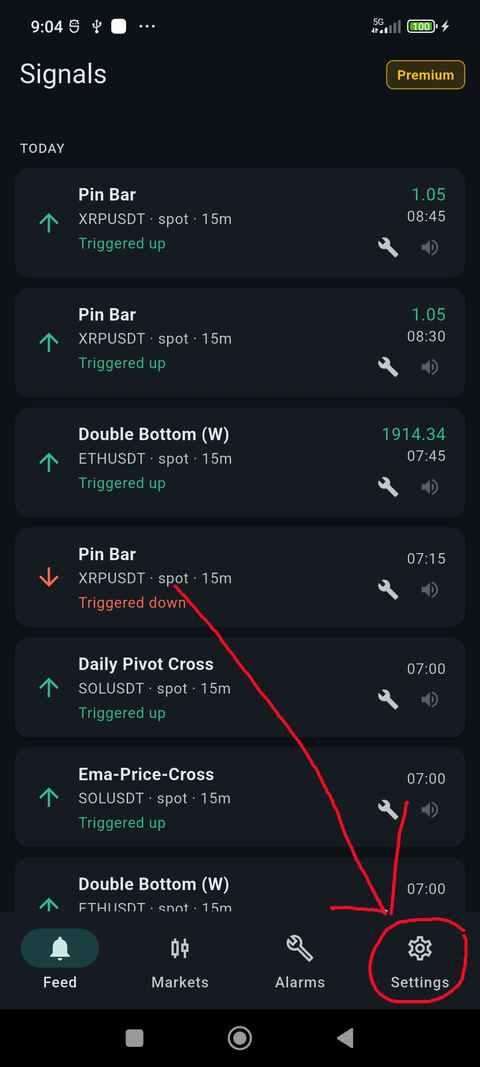
1Open ChartRooster and tap Settings (gear icon at the bottom right of the tab bar).
-
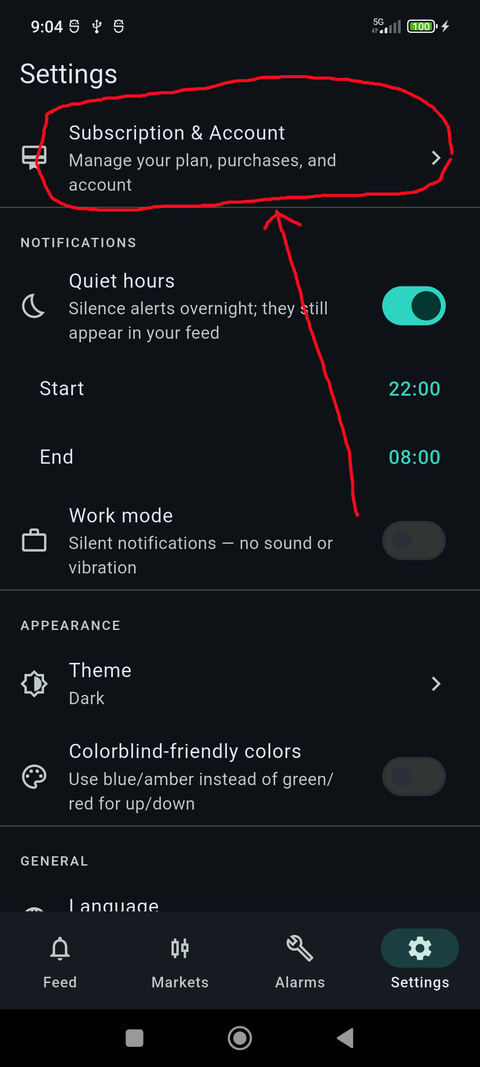
2Tap Subscription & Account at the top of the Settings screen.
-
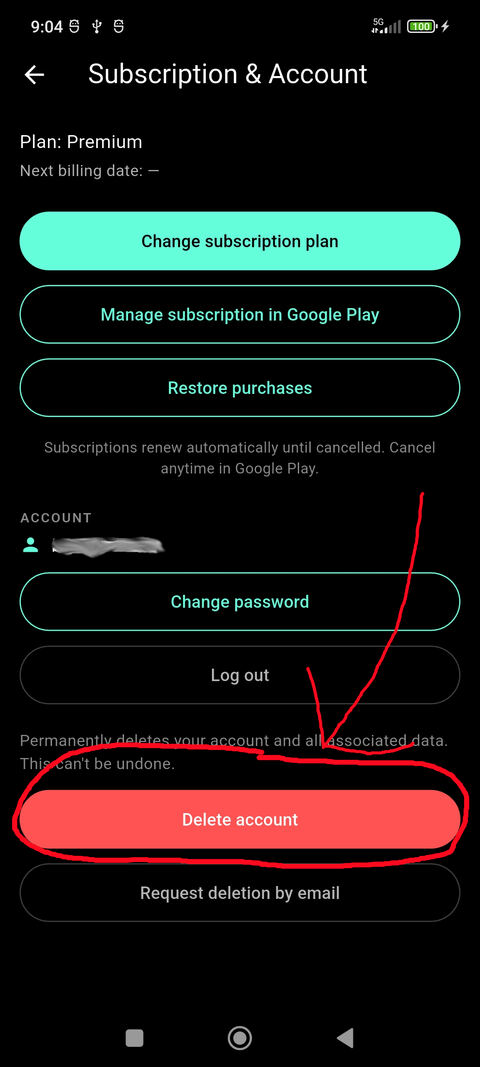
3Scroll down and tap the red Delete account button, then confirm. Your account and data are deleted immediately.
Delete your account on iOS
The iOS app uses the same layout and the same steps: open Settings (gear icon at the bottom right), tap Subscription & Account, then scroll down, tap the red Delete account button and confirm.
-
Step 1 — Settings tab -
Step 2 — Subscription & Account -
Step 3 — Delete account
Illustrations show the Android app; the iOS screens are identical.
What is deleted
Deletion is immediate and permanent. We erase your profile and login credentials, active sessions, push notification tokens, alarm subscriptions and your alarm history. Your email address becomes available for re-registration.
What we keep
Only what statutory retention obligations require: billing and subscription records (German commercial and tax law, up to ten years) and records of your consent to our legal documents. Details are in our privacy policy (sections 6–7).
Can’t access the app?
Email us at [email protected] from the email address registered to your account and we will delete the account for you. The app also offers Request deletion by email on the same screen as the delete button.